Overview
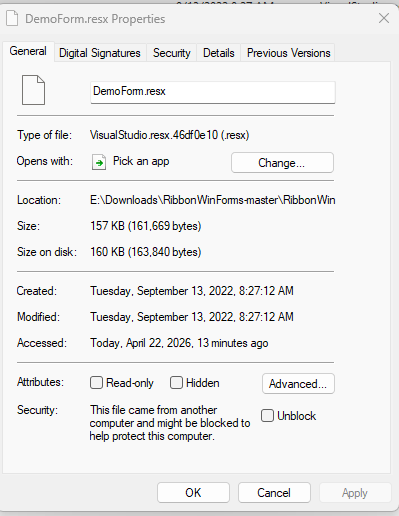
Files that arrive from the internet carry a Zone.Identifier stream — Mark of the Web. Windows uses it to open documents in Protected View and to refuse to run what it does not trust, which is why a perfectly fine download sits there refusing to open.
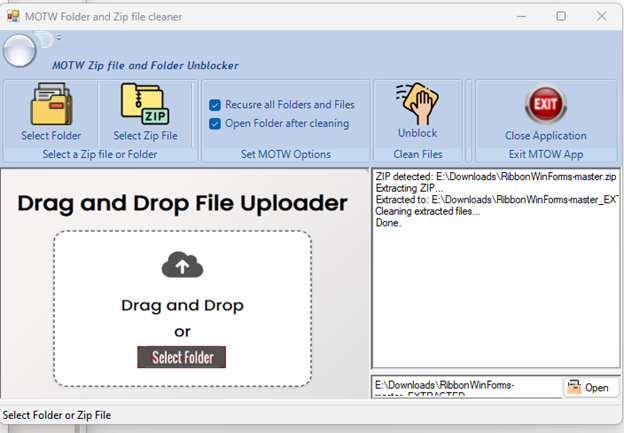
MOTW Cleaner removes that marker from the files and folders you choose, in a small WinForms window, and reports progress while it works. It is distributed as an MSI installer, with its own changelog page hosted on GitHub Pages.
What it does
Unblock in one pass
Point it at files or folders and it clears the zone identifier instead of making you open file properties one by one.
Made for downloaded archives
Drop a zip, extract, clean — the workflow the tool was built around.
Installer, not a zip of DLLs
Ships as MOTW.Installer.msi from the 1.3.0 release, so it installs and uninstalls like normal software.
Its own changelog
A separate HTML page under dwainsnickles.github.io/MOTW-Cleaner documents what changed in each version.